
Artificial intelligence is changing how students learn, prepare for exams, conduct research, and complete assignments. What once required hours of searching through textbooks, organizing handwritten notes, or watching multiple tutorials can now be made considerably easier with the right AI tools.
But there is a catch. Having access to AI does not automatically make you a better student. You can spend an entire evening asking a chatbot questions and still struggle to remember what you learned the next morning. You can generate a beautifully formatted set of notes without understanding the chapter. And you can finish an assignment quickly without developing the skills that assignment was supposed to teach you.
The trick is to choose tools that support actual learning rather than simply completing tasks for you.
In this guide, we’ll explore the best AI tools for students in 2026, what each one does well, how to use it in real study situations, and which options are worth trying before spending money. Whether you’re a school student, college student, postgraduate researcher, or someone preparing for a competitive examination, you’ll find practical ways to make AI work for you.
What Should Students Look for in an AI Study Tool?
Before choosing an app, think about the problem you’re trying to solve. A student struggling to understand physics needs something different from a college student preparing a research paper or someone revising hundreds of biology definitions.
The best AI study tools should help you understand difficult concepts, work with your own learning materials, practise retrieving information from memory, or organize your workload. Ideally, they should also be easy to use and offer enough functionality on a free plan to let you evaluate their usefulness.
For most students, there is no reason to subscribe to five different AI services immediately. Start with one general-purpose assistant and one tool that addresses your biggest learning challenge. Use them consistently before deciding whether you need anything else.
1. ChatGPT: Best for Understanding Difficult Concepts

Best for: Concept explanations, personalised tutoring, practice questions and revision.
Website: ChatGPT · Visit ChatGPT
One of the most useful ways to use ChatGPT is as a personal tutor who can explain the same concept in several different ways until it makes sense.
Imagine that you’re studying Newton’s laws of motion and cannot understand why a heavier object doesn’t always fall faster than a lighter one. Instead of searching through multiple websites, you can ask ChatGPT to explain the concept using everyday examples, diagrams where supported, and a few simple numerical problems.
You can also ask follow-up questions without worrying that you’re asking something too basic. This makes conversational AI especially useful when you’re studying independently and don’t have immediate access to a teacher.
How to use ChatGPT effectively
The quality of your instructions makes a considerable difference. Instead of asking, “Explain photosynthesis,” try a more specific request.
COPY-AND-USE STUDY PROMPT
Explain photosynthesis to a Class 10 student using simple language and an everyday analogy. Break the process into manageable steps. Ask me five questions, one at a time, to check my understanding. Do not reveal the answers until I attempt each question.
This approach changes the experience from passive reading to active learning. Rather than accepting an explanation and moving on, you’re required to retrieve information and demonstrate that you understand it.
ChatGPT is also useful for creating practice examinations, reviewing your attempted answers, comparing related concepts, and identifying areas that need more revision. Its Study Mode can support guided learning, although features and usage limits may vary by plan and account.
My recommendation: Start with the free plan if it meets your needs. Consider a paid subscription only if you regularly encounter limitations that genuinely interfere with your studies.
2. Google Gemini: Best for Guided Learning and Everyday Study Tasks

Best for: Guided explanations, learning plans, quizzes and working across supported Google tools.
Website: Google Gemini · Visit Gemini
Google Gemini is another strong option for students who want an AI assistant that can help with several aspects of studying. Depending on the features available to your account, it can explain concepts, help plan revision sessions, generate practice questions, and assist with documents and other learning materials.
One particularly useful application is building a revision plan around a specific examination date. Tell Gemini which subjects you need to study, how many chapters remain, how much time you can realistically devote each day, and which topics you find difficult. Ask it to create a schedule that includes practice questions and revision instead of filling every available hour with new material.
You can then return to the plan and adjust it as you make progress. This is more practical than following a rigid timetable that becomes impossible to maintain after missing one session.
Gemini’s guided-learning features and study notebooks can also help learners work through concepts in stages rather than receiving a single lengthy explanation. Google’s June 2026 education update described study notebooks designed to build personalised lessons, quizzes and learning activities from a student’s goals and materials. Availability can depend on account type and rollout.
A useful tip: Ask Gemini to leave buffer time in your timetable. A study schedule that accounts for breaks, difficult chapters, and unexpected interruptions is far more realistic than one that assumes every session will go perfectly.
3. NotebookLM: Best for Studying From Your Own Notes and PDFs
Best for: Lecture notes, textbook extracts, research papers, revision guides and source-based questions.
Website: NotebookLM · Visit NotebookLM
Have you ever finished reading a chapter and realised that you cannot remember the important points? NotebookLM can help you turn your study materials into something easier to interact with.
You can add supported source documents, such as lecture notes, PDFs, and other course materials, and then ask questions about the content. Depending on the current features available, it can help create study guides, summaries, flashcards, quizzes, and audio overviews.
The advantage is that you can work with a defined collection of sources instead of relying entirely on a chatbot’s general knowledge. This can be particularly helpful when your lecturer expects you to follow a particular textbook or when you’re revising a set of research papers.
For example, imagine you have a 40-page set of economics notes. You could ask NotebookLM to identify the major concepts, explain how they relate to one another, and generate a practice quiz covering the entire document.
However, source-grounded AI is not automatically error-free. Check important answers against the original material, especially if you’re preparing for an examination where precise definitions or formulas matter.
My recommendation: If your biggest problem is managing large amounts of study material, try this tool before paying for a specialised note-making app. It may cover much of what you need.
4. Perplexity: Best for Research and Finding Sources

Best for: Research projects, current information, background reading and source discovery.
Website: Perplexity · Visit Perplexity
Research assignments can consume an enormous amount of time, especially when you need to locate reliable sources rather than simply collect information from the first few search results.
Perplexity is designed around answering questions using web sources and providing links that allow you to investigate the evidence behind an answer. This makes it useful when you’re exploring a topic, identifying relevant reports, or looking for different perspectives on a research question.
Suppose you’re preparing a college presentation about renewable energy in India. You could use Perplexity to discover relevant government reports, recent developments, and background information before reading the sources yourself.
The important distinction is that Perplexity should help you find and evaluate evidence, not replace the process of evaluating it. A citation attached to an AI-generated answer does not guarantee that the source supports every statement in the response.
Open the linked sources, check publication dates, distinguish research findings from opinions, and record the references you’ll need for your assignment.
A practical prompt: Ask Perplexity to identify five credible sources on your topic, explain why each is relevant, and distinguish primary research from secondary commentary. Then examine those sources individually before using them.
5. Claude: Best for Detailed Explanations and Feedback on Writing

Best for: Understanding long readings, comparing arguments, improving drafts and working through complex questions.
Website: Claude · Visit Claude
Claude is worth considering when your studies involve lengthy readings, essays, reports, or complex arguments. It can help you break down dense material, identify the main argument in a passage, compare competing explanations, and receive feedback on a draft.
For example, if you’re studying psychology, you could provide a reading and ask Claude to distinguish the research question, methodology, main findings, and limitations. You could then ask it to suggest questions you should be able to answer before your examination.
For writing assignments, Claude can be used as a reviewer rather than a ghostwriter. Ask it to identify unclear arguments, unsupported claims, repetitive paragraphs, and gaps in reasoning while preserving your original voice.
This distinction matters because a polished essay isn’t necessarily a good essay. You need to understand the argument well enough to defend it, explain the evidence, and answer follow-up questions.
As with other AI assistants, verify factual claims and follow your institution’s rules about AI assistance. Free access, context limits, and available learning features can change, so check the current plan before relying on a particular capability.
6. Quizlet: Best for Flashcards and Quick Revision
Best for: Vocabulary, definitions, terminology and fact-based revision.
Website: Quizlet · Visit Quizlet
Some subjects require you to remember a large amount of information. Medical terminology, foreign-language vocabulary, historical dates, scientific definitions, and key concepts can all benefit from regular recall practice.
Quizlet provides digital flashcards and other study activities, with additional AI-assisted features available depending on the plan. Instead of repeatedly reading a list of definitions, you can test yourself and identify which items need more attention.
Imagine you’re learning 100 new biology terms. You can divide them into smaller sets and review them in short sessions throughout the week. Every time you revisit a difficult term, try to recall its meaning before revealing the answer.
The real benefit comes from attempting to retrieve information, not merely looking at the cards. If you turn every flashcard session into passive browsing, you’re missing the main advantage.
Quizlet can be useful for students who prefer a simple, visual revision experience. However, check the free-plan limits before building your entire study routine around features that may require payment.
7. Anki: Best for Long-Term Memory and Spaced Repetition
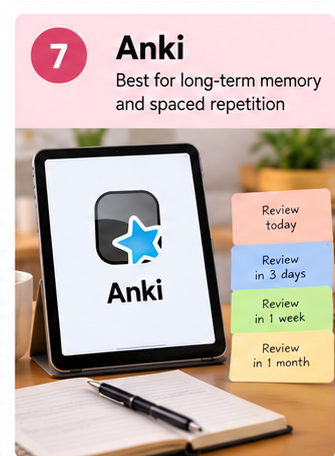
Best for: Long-term recall, large syllabuses and repeated revision.
Website: Anki · Visit Anki
Anki is especially useful when you need to retain information over weeks or months. Its spaced-repetition system schedules flashcards for review according to how well you remember them, helping you revisit difficult material more often than information you’ve already mastered.
This is valuable for students preparing for demanding examinations with large syllabuses. Instead of leaving all revision until the final few days, you build a collection of cards and review a manageable number each day.
You can create cards manually or use AI to help draft questions and answers from your own notes. Always check automatically generated cards for inaccuracies and avoid making cards so complicated that you cannot answer them clearly.
For example, rather than creating one card containing an entire chapter on human physiology, create separate cards for the main processes, definitions, mechanisms, and distinctions you need to remember.
Anki is a particularly attractive option for students who want a structured revision system without paying for a recurring subscription to its core desktop software. Check the official site for platform-specific availability and pricing, as mobile versions can have different arrangements.
8. Grammarly: Best for Improving Academic Writing
Best for: Grammar, clarity, sentence structure, tone and proofreading.
Website: Grammarly · Visit Grammarly
Good ideas can lose their impact when they’re expressed poorly. Grammarly can help identify grammar errors, awkward sentences, spelling mistakes, and opportunities to improve clarity.
It’s useful when preparing essays, laboratory reports, project proposals, applications, and professional emails. Rather than accepting every suggested change, consider why the original sentence was unclear and whether the revised version preserves your meaning.
For example, if you’ve written a paragraph that repeats the same idea three times, a writing assistant may help you identify the redundancy and produce a more concise version.
The tool should not become a reason to stop developing your own writing skills. If you accept every rewrite automatically, you may submit better-looking work without learning how to write more effectively yourself.
Use Grammarly as a reviewer. Keep your own arguments, verify factual statements, and follow your college’s policies regarding AI-assisted editing and rewriting.
9. Wolfram Alpha: Best for Maths, Science and Technical Problems
Best for: Mathematical calculations, equations, graphs and technical problem-solving.
Website: Wolfram Alpha · Visit Wolfram Alpha
Students in mathematics, physics, engineering, and other technical subjects often need more than a verbal explanation. They need to calculate, compare, graph, or evaluate mathematical expressions accurately.
Wolfram Alpha is designed to compute answers to a wide range of mathematical and scientific questions. Depending on the problem and available features, it can help with equation solving, differentiation, integration, plotting, and numerical calculations.
Consider a calculus problem involving differentiation. You could use a computational tool to check your result after solving it by hand, then compare the steps to find where your reasoning went wrong.
That last part is essential. If you simply enter every homework question and copy the answer, you may finish the assignment without developing the skills needed to solve a similar question independently.
Some advanced step-by-step features may require a paid plan. Start with the available free functionality and use it primarily to verify your own work and investigate mistakes.
10. GitHub Copilot: Best for Students Learning to Code
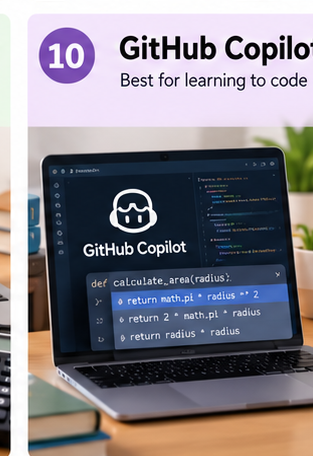
Best for: Programming practice, code explanations, debugging and learning software development.
Website: GitHub Copilot · Visit GitHub Copilot
If you’re studying computer science or learning programming independently, GitHub Copilot can assist with code completion, explanations, and debugging inside supported development environments.
For example, suppose you’re learning Python and have written a function that returns the wrong result. You can ask for help identifying the problem, request an explanation of the underlying error, and then attempt to correct it yourself.
It can also help you understand unfamiliar code, compare different implementations, and generate small practice exercises. These are useful ways to build confidence when you’re learning a programming language.
However, code that runs is not necessarily code that is correct, secure, efficient, or appropriate for the assignment. Test suggested solutions, understand their logic, and never submit generated code as your own if your institution prohibits that kind of assistance.
Eligible students may qualify for education-related benefits through GitHub’s student programme. Check the official eligibility requirements rather than assuming that every feature is automatically free.
Which AI Tool Should You Choose? A Practical Comparison
You don’t need all ten tools. Use the following table to identify the best starting point for your particular challenge.
| Your main need | Tool to try first | Why |
|---|---|---|
| Understand difficult concepts | ChatGPT | Conversational explanations and guided practice |
| Build a revision schedule | Gemini | Study planning and guided learning |
| Study from PDFs and lecture notes | NotebookLM | Source-based summaries and study materials |
| Research an assignment | Perplexity | Discover sources and investigate claims |
| Analyse long readings | Claude | Detailed explanations and writing feedback |
| Memorise definitions | Quizlet | Accessible flashcards and revision activities |
| Retain information over months | Anki | Spaced-repetition scheduling |
| Improve essay clarity | Grammarly | Writing and proofreading assistance |
| Check maths and science problems | Wolfram Alpha | Computational answers and mathematical tools |
| Learn programming | GitHub Copilot | Code assistance and debugging |
Features, prices, free usage limits, and student eligibility can change. Before paying for any service, check the current official pricing and terms.
How to Combine AI Tools Into a Study Routine That Works
The most effective approach is not to use AI for every step. It’s to build a simple workflow in which each tool has a specific purpose.
Imagine you’re preparing for a science examination in three weeks. Here’s one way to structure your preparation.
First, understand the material. Read your textbook or class notes, then use ChatGPT or Gemini to clarify concepts that remain confusing. Ask questions until you can explain the main ideas in your own words.
Next, organise your sources. Put relevant notes and permitted study documents into NotebookLM, where supported, and use them to create a revision guide. Check the guide against the original material before relying on it.
Then, practise retrieval. Use Anki or Quizlet to create flashcards for definitions, equations, and facts that you need to remember. Attempt to answer each question before checking the solution.
Finally, test yourself. Complete practice questions without looking at your notes. Use an AI assistant to review your reasoning, explain mistakes, and identify topics that need another round of revision.
This approach combines explanation, organisation, memory practice, and feedback. More importantly, it keeps you actively involved in learning rather than letting AI do all the intellectual work.
If you’d like to strengthen this routine further, explore our guide to the best study techniques for college students, which covers practical methods for improving recall, concentration, and exam preparation.
You can also read how to enhance your learning skills for additional strategies that complement AI-assisted studying.
Are AI Study Tools Worth Paying For?
For many students, free tools are sufficient to get started. You can use a general-purpose AI assistant for explanations, a source-based notebook for revision, and a flashcard tool for memory practice without immediately committing to multiple subscriptions.
Paid plans become worth considering when you regularly hit usage limits, need specific advanced features, or save enough time to justify the cost. A premium research tool may be useful for a postgraduate student working with large volumes of literature, for example, while a school student who mainly needs help understanding textbook concepts may not need it.
Before purchasing anything, try a single tool for a few weeks. Track whether it actually improves your understanding, reduces wasted time, or helps you recall material more reliably.
Avoid paying for two tools that perform essentially the same job unless you have a clear reason to keep both. Students often get more value from using one tool consistently than from subscribing to several services they rarely open.
For SmartStudyDeck readers, this is also where affiliate recommendations can fit naturally. If you eventually recommend a paid study app, explain who benefits from it, what the free version offers, and when the subscription may not be worthwhile. Clearly disclose affiliate links where applicable and keep recommendations independent of commission rates.
Common Mistakes to Avoid When Using AI for Studying
The first mistake is treating AI-generated answers as unquestionable facts. AI systems can misunderstand questions, make calculation errors, misrepresent research, or invent details. Verify important claims using textbooks, course materials, official documents, or credible sources.
The second is using AI to avoid thinking. If a tool produces the answer before you’ve attempted, you lose an opportunity to practise the very skill you’re trying to develop. Try the problem yourself first, then use AI to review your approach.
The third is confusing attractive notes with effective revision. A neatly formatted summary is useful only if you can recall and apply its contents. Test yourself regularly rather than judging your progress by how much material you’ve generated.
Finally, pay attention to privacy and academic integrity. Avoid uploading confidential information, personal data, or restricted course materials without permission. Follow your institution’s rules on AI assistance, citations, collaboration, and original work.
Final Thoughts: Use AI to Become a Better Learner
The best AI tools for students are not necessarily the newest, most expensive, or most heavily advertised ones. They are the tools that solve a real learning problem and fit naturally into your routine.
Start with ChatGPT or Gemini if you need explanations. Try NotebookLM if your notes are difficult to organise. Use Perplexity to explore research sources, Anki or Quizlet to practise recall, and specialised tools when your subject requires them.
You don’t need a complicated collection of apps to study effectively. Choose one or two tools, give them a clear purpose, and evaluate whether they’re helping you learn rather than merely helping you finish tasks.
Ultimately, AI should make you a more independent learner. It should help you ask better questions, recognise gaps in your understanding, practise more effectively, and develop the confidence to solve problems without assistance.

Leave a Reply